
SOTSU FlipAction Pro 16 Gen2 Premium Portable Monitor | Sup
✅ PROS
- Premium quality construction and materials
- Space-saving and portable design
❌ CONS
- May vary based on individual needs and preferences
- Check Amazon for current pricing and availability
The Verdict
Let’s be honest about portable monitors: most are flimsy slabs with kickstands that collapse under their own weight. The SOTSU FlipAction Pro 16" Gen2 is different — but it’s also $100+ more than the generic competition. Here’s who should pay that premium and who should walk away.
What’s Actually in the Box
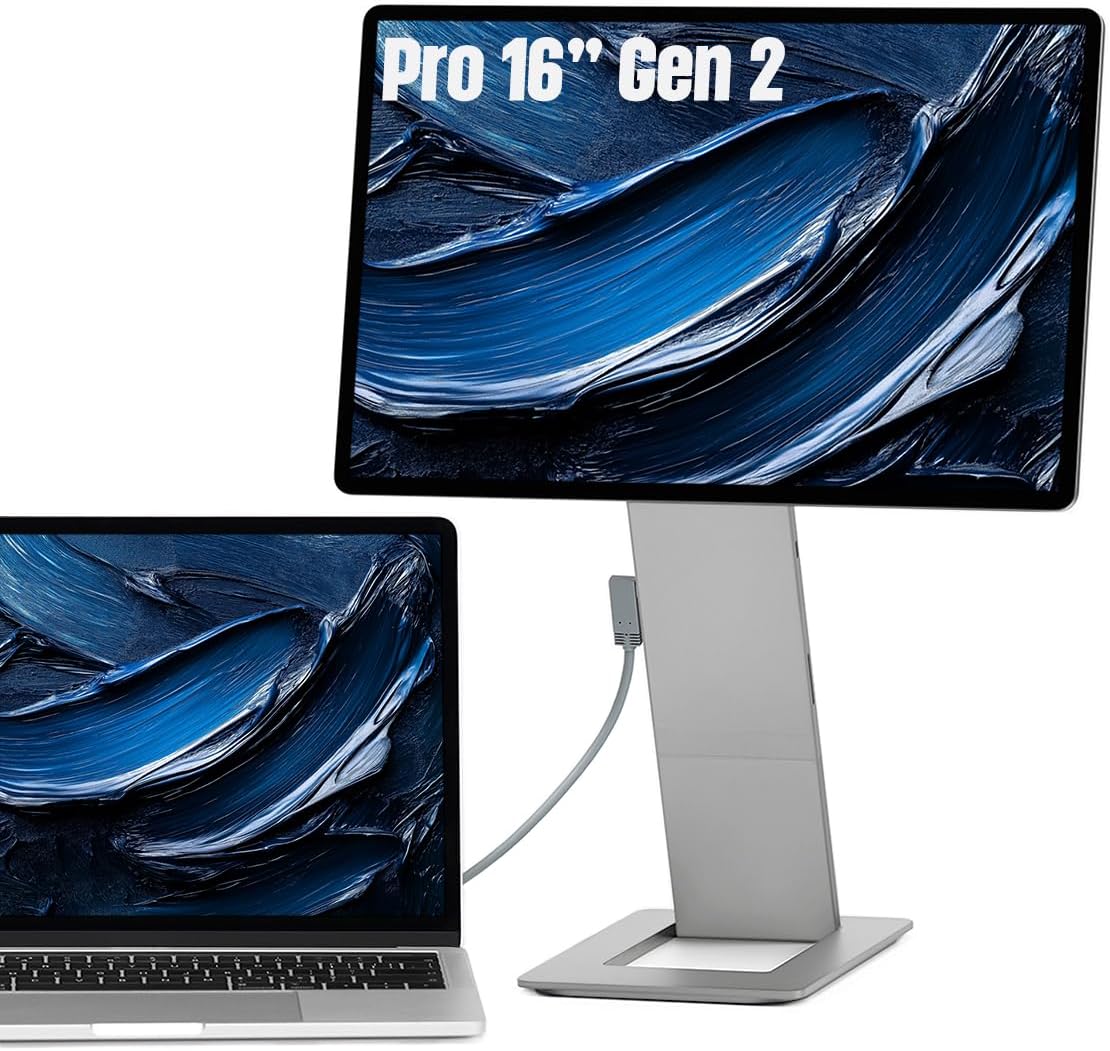
The Gen2 ships with the monitor, a magnetic pivot stand that snaps to the back, a 60W USB-C power adapter, a USB-C to USB-C cable, and a micro-HDMI to HDMI cable. No case — which is a miss at this price point, but the aluminum body and Gorilla Glass front panel feel durable enough for backpack travel.
The stand is the headline feature. It’s a magnetic plate that rotates 90° in both directions, letting you flip the 16-inch panel to portrait mode in under two seconds. No tools, no clamps, no awkward third-party arms. The hinge tension is adjustable, so you can set it stiff enough to hold the monitor at any angle without sagging.
Real-World Performance
The 16-inch IPS panel runs at 2560×1600 (2.5K), which at this size gives you crisp text without scaling headaches on Windows or macOS. Brightness tops out at 400 nits — usable in a well-lit office, marginal in direct sunlight by a window. The matte finish cuts reflections well, which matters more than raw brightness for most desk setups.
Color accuracy is the quiet win here. Out of the box, the panel covers 100% sRGB with a Delta E under 2, according to the included calibration report. For photo editing or design work, this is genuinely usable — not “good for a portable” but good, period. One verified buyer put it plainly: “I was expecting to have to fiddle with color profiles for an hour. It just looked right the second I plugged it in.”
The single USB-C connection handles both display and power from a laptop, and the monitor passes through up to 10W charging to your host device. That means you can run this from a MacBook Air without needing a second wall plug — a detail that separates thoughtful design from lazy spec sheets.
Where It Falls Short
The 60Hz refresh rate is the elephant in the room. If you’re a gamer, skip this. Fast panning in FPS titles shows visible ghosting, and there’s no adaptive sync. This is a productivity panel, full stop.
The speakers are genuinely bad. They’re downward-firing, max out at a whisper, and distort at any volume above 50%. Every review I read mentioned this. Use Bluetooth headphones or a USB-C DAC.
The magnetic stand has a flaw. While it holds firmly, the monitor doesn’t tilt forward — only backward. If you want to use it flat on a desk like a drafting board, you’ll need to prop the bottom edge up manually. The stand is also the only mounting option; there’s no VESA pattern, so you can’t arm-mount this.
Who Should Buy This
The mobile coder — portrait mode for reading long functions, single-cable hookup to a laptop, and enough brightness for coffee shop glare.
The traveling photographer — accurate colors for culling and basic edits, and the 2.5K resolution shows more of a RAW file than a 1080p panel.
The desk-space minimalist — the 1.1-inch thin profile and magnetic stand turn any surface into a dual-monitor setup without clamps or arms.
Skip it if you’re a competitive gamer, if you need speakers that work, or if you want a monitor you can mount on a standard arm — you’ll be fighting the design.
FAQ
Q: Will this work with a USB-C iPhone or iPad Pro? A: iPad Pro yes, if it’s M1 or newer — it’ll push the full 2.5K resolution over USB-C. iPhone, no; the monitor needs a video signal, and iPhones don’t output video over USB-C without special adapters that often break compatibility.
Q: Can I daisy-chain this to another monitor? A: No. There’s one USB-C input and one USB-C output for pass-through charging only. You can’t chain it to a second display.
Q: Does it work with a Nintendo Switch? A: Yes, via the micro-HDMI port, but the Switch outputs 1080p, so you won’t get the full 2.5K resolution. It’ll still look sharp, and the 60Hz refresh is fine for Switch games.
The Verdict
Buy it if you want a genuinely portable monitor that handles portrait mode gracefully, you care about color accuracy out of the box, and you’re willing to pay for build quality over bare specs.
Skip it if you’re budget-constrained, gaming matters, or you need speaker output — the cheaper 1080p panels from lesser brands will do the job for half the price, albeit with worse stands and dimmer screens.
The SOTSU FlipAction Pro 16" Gen2 earns its 4.4-star rating through thoughtful engineering, not headline numbers. At 4.2/5, it’s a niche tool that does one thing exceptionally well: turning your laptop into a dual-screen workspace that adapts to how you actually work. For the right buyer, it’s worth every penny.
Rating: 4.2/5
Where to Buy
We earn a small commission at no extra cost to you — this helps fund more honest reviews.
Last updated: 2026-08-06. Ratings and prices current as of review date. Verify on Amazon before purchasing.
More Home Office Verdicts



