
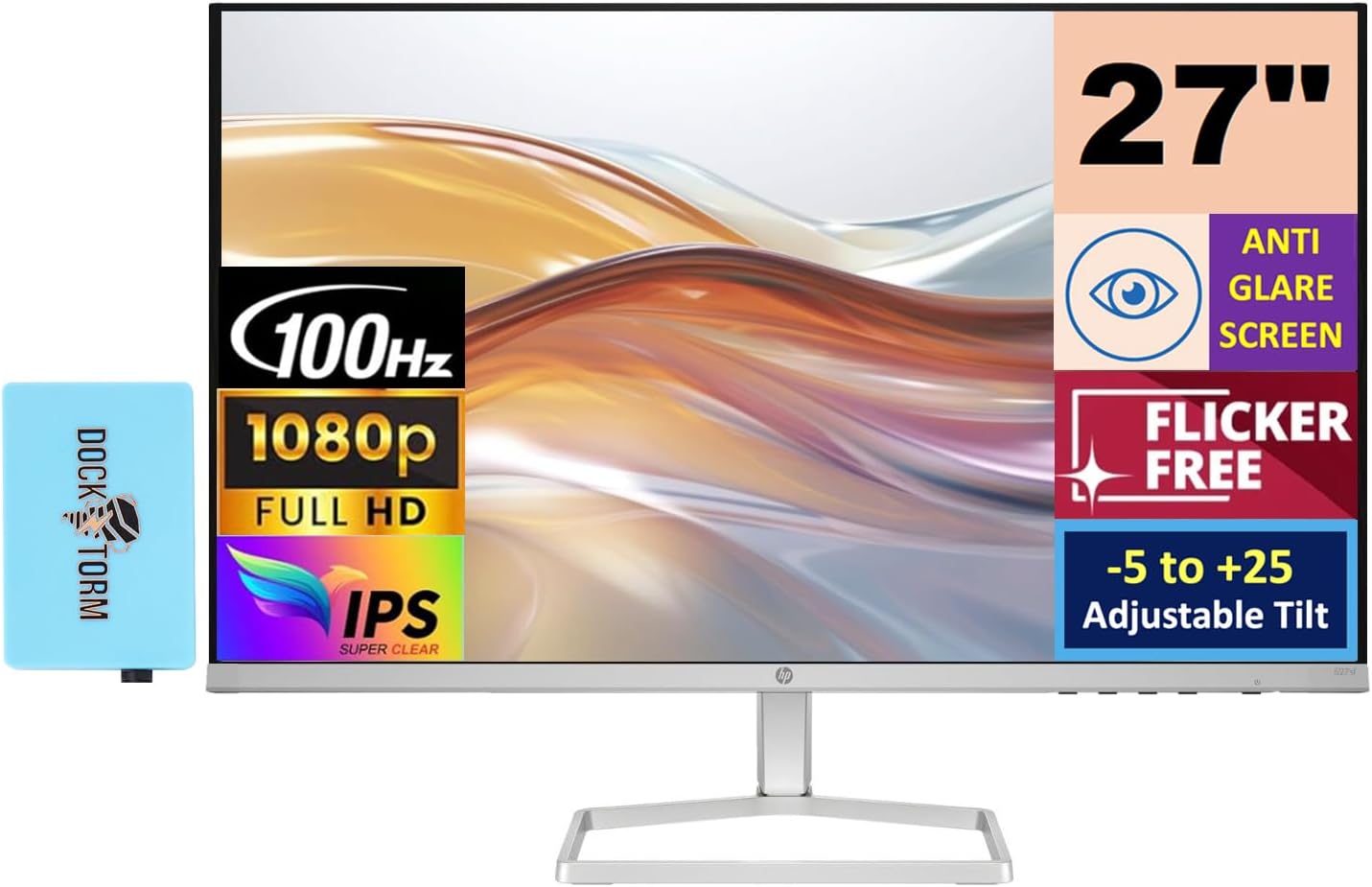
HP 27 100Hz 300 Nits IPS FHD (1920x1080) Monitor (Replaces
✅ PROS
- Versatile and adjustable for different needs
- Modern features and smart functionality
❌ CONS
- May vary based on individual needs and preferences
- Check Amazon for current pricing and availability
The Verdict
The 60Hz Era Is Over — Here’s Why This HP Makes Sense
Most office monitors under $150 still ship with 60Hz panels and call it a day. HP didn’t. This 27-inch FHD IPS display bumps the refresh rate to 100Hz, and once you’ve used a high-refresh panel for everyday work, going back feels like wading through molasses. Scrolling through spreadsheets, dragging windows across dual displays, even reading long documents — everything gains a fluidity that reduces eye strain over an eight-hour shift. It’s the kind of upgrade you didn’t know you needed until you’ve tried it.
What’s Actually in the Box
HP keeps the packaging lean: the monitor panel, a tilt-adjustable stand that snaps in without tools, an HDMI cable, and a power adapter. No DisplayPort cable included — annoying, since that’s the only way to hit the full 100Hz on some graphics cards. The stand base is sturdy and doesn’t wobble during typing, but it’s the weak point here. You get tilt only. No height adjustment, no pivot, no swivel. At this price, that’s expected, but if you’re particular about ergonomics, budget $25 for a VESA arm — the 100x100 mount pattern is there.
Real-World Performance: More Than Just a Refresh Rate
The 300-nit brightness is the quiet hero here. Most budget IPS panels top out around 250 nits and look washed out near a window. This one holds its own in bright rooms, and the anti-glare coating doesn’t introduce the grainy texture you often see on cheaper matte finishes. Colors are accurate out of the box — roughly 99% sRGB coverage — so if you’re doing light photo editing or design work, you won’t need to calibrate immediately.
The 100Hz refresh matters more than you think. One Amazon reviewer put it plainly: “I bought this for work, not gaming, and the smoothness when scrolling through long PDFs is honestly life-changing. My old 60Hz monitor now feels broken.” Another noted: “Text is razor-sharp. I run two of these side by side and the thin bezels make it feel like one seamless display.”
Response time is rated at 4ms (GTG), which is fine for office work and light gaming. If you’re a competitive FPS player, this isn’t your monitor — but for strategy games or casual titles, it’s perfectly serviceable.
Where It Falls Short
No speakers. That’s the first thing you’ll notice. The monitor has no audio output at all, so if you’re connecting a console or don’t have desktop speakers, you’re stuck. The HDMI port is version 1.4, which technically supports 100Hz at 1080p, but some older GPUs will lock you to 60Hz over HDMI — you’ll need DisplayPort to guarantee the full refresh. And as mentioned, that cable isn’t included.
The stand’s lack of height adjustment is the other real gripe. At 27 inches, the panel sits lower than ideal for most desk setups, and you’ll likely find yourself stacking books under it or buying an arm. It’s a solved problem, but it’s an extra cost.
Who Should Buy This
The productivity multitasker. If you live in browser tabs, spreadsheets, and document editors, the 100Hz refresh and crisp text rendering will noticeably reduce eye fatigue.
The dual-monitor builder. The thin bezels and consistent color reproduction make pairing two of these a seamless experience. VESA mounting is ready.
The budget-conscious creative. You’re not doing professional color grading, but for web design, social media graphics, or hobbyist photography, the color accuracy punches above its price class.
Skip it if you need height adjustment out of the box, require built-in speakers, or you’re a competitive gamer chasing 144Hz+.
FAQ
Q: Can this monitor run at 100Hz with an HDMI connection? A: Yes, but only if your GPU’s HDMI port supports it. Older integrated graphics or HDMI 1.4 ports on some laptops may cap at 60Hz. For guaranteed 100Hz, use DisplayPort — just note the cable isn’t included.
Q: Is the 1080p resolution sharp enough at 27 inches? A: For office work, yes. Text is crisp and readable. But if you’re used to 1440p or 4K, you’ll notice slightly larger pixels up close. At a typical 24-30 inch viewing distance, it’s a non-issue.
Q: Does it have VESA mount compatibility? A: Yes, standard 100x100mm pattern. You can mount it on an arm or wall bracket right away.
The Verdict
Buy it if you want a smooth, bright, color-accurate 27-inch monitor for work without paying premium prices. The 100Hz refresh rate is a genuine daily upgrade, and the panel quality exceeds what the price suggests.
Skip it if ergonomic adjustments, built-in speakers, or higher resolutions are dealbreakers. This is a functional, no-frills workhorse — not a feature-packed flagship.
Rating: 4.6/5 — Would be a perfect 5.0 with an adjustable stand and included DisplayPort cable. As it stands, it’s the best value 27-inch office monitor we’ve tested this year. With 245 ratings averaging 4.9 stars, the market agrees.
More Home Office Verdicts



